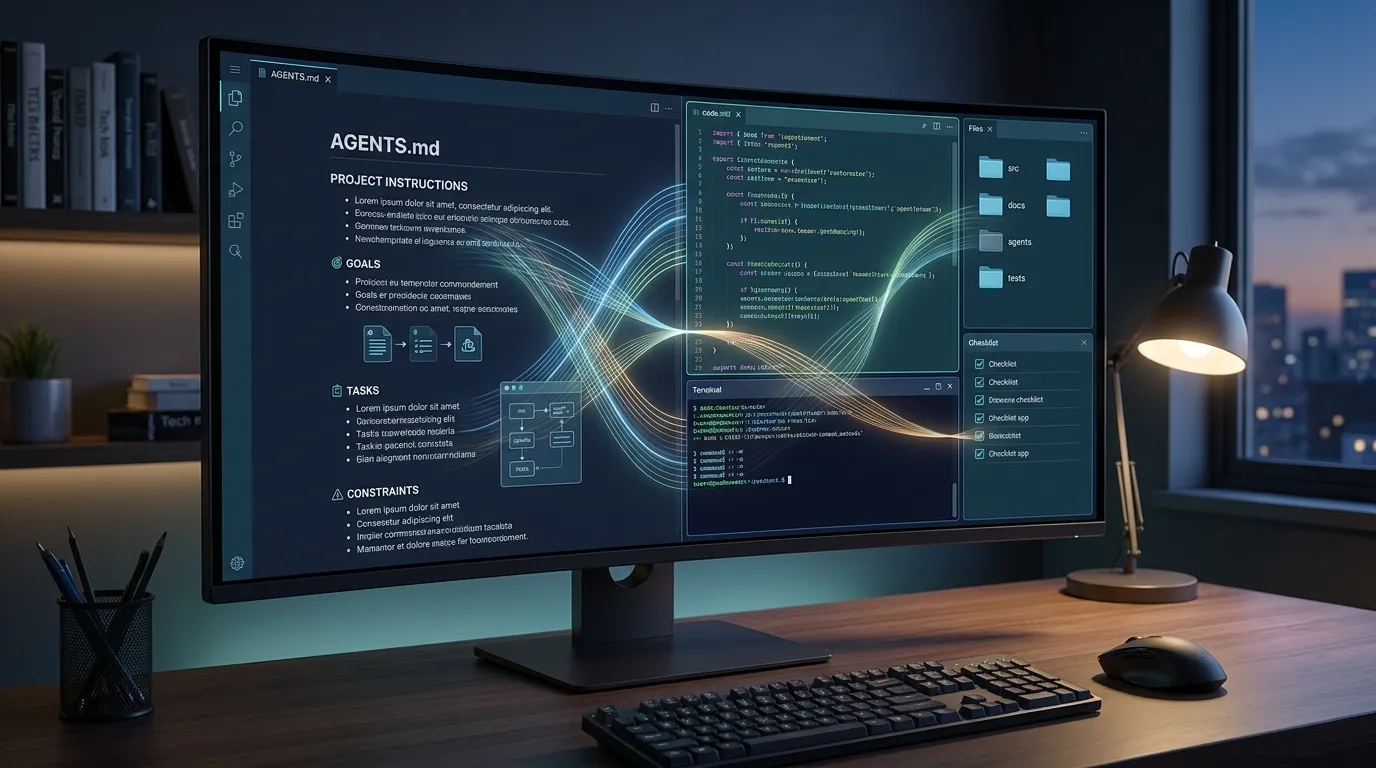
When you ask an AI coding agent to work on a software project, the quality of the result depends on more than the prompt you type.
The agent also needs to understand how the project is organized, which technologies it uses, how tests should be executed and which rules must be respected before files are changed.
This is where an AGENTS.md file becomes useful.
An AGENTS.md file gives OpenAI Codex persistent instructions for working inside a project. Instead of repeating the same requirements in every conversation, you can write them once and allow Codex to load them automatically.
In this guide, you will learn what an AGENTS.md file is, where to place it, what it should contain and how to use it without overwhelming the coding agent with unnecessary rules.
What Is an AGENTS.md File?
An AGENTS.md file is a Markdown document containing instructions for AI coding agents.
It works like an onboarding guide for the agent. When Codex opens a project, the file can explain how the repository works and what the agent should do before, during and after modifying the code.
The file may include information such as:
- The programming languages and frameworks used by the project.
- The location of important files and directories.
- The commands required to install dependencies.
- How to start the local development environment.
- Which tests, linters or formatters must be run.
- Coding and naming conventions.
- Security restrictions.
- Database and migration rules.
- Git and commit requirements.
- Files or systems the agent should not modify.
The file does not contain executable code. It is written in normal Markdown using headings, paragraphs, lists and code blocks.
Why Does Codex Need Project Instructions?
Every software project has rules that may not be obvious from the code alone.
One WordPress project may require all custom functionality to remain inside a child theme. Another may use a custom plugin for every modification.
A PHP application may use a specific database helper, while another project requires developers to create prepared statements directly with PDO.
Without clear instructions, Codex must inspect the repository and make assumptions. Some of those assumptions may be correct, but others may conflict with the way the project is maintained.
An AGENTS.md file reduces that uncertainty.
For example, instead of repeating this instruction in every prompt:
Do not modify WordPress core files. Place custom functionality in the existing custom plugin and preserve the current authentication rules.You can add the rule to the project’s AGENTS.md file.
Codex can then apply it to future tasks in that repository.
Is AGENTS.md the Same as a Prompt?
No. A prompt usually describes the task you want completed now, while an AGENTS.md file describes the continuing rules of the project.
A prompt might say:
Add server-side validation to the contact form and display a clear error when the email address is invalid.The AGENTS.md file might say:
- Preserve the existing form design. - Validate all user input on the server. - Escape output before displaying it. - Do not add new production dependencies. - Run the PHP test suite after changing backend code.The prompt defines the immediate objective. The instruction file defines how the work should be performed.
The two should be used together.
Is AGENTS.md the Same as README.md?
The files may contain some similar information, but they serve different purposes.
A README.md file is usually written for people. It may explain what the project does, how to install it and how developers can contribute.
An AGENTS.md file is specifically designed to guide coding agents.
The agent instructions can be more direct and operational. They can state exactly which commands to run, what files to avoid and what conditions must be verified before a task is considered complete.
You do not need to copy the entire README into the agent instructions.
Instead, the AGENTS.md file can point Codex toward the relevant documentation:
- Read README.md before changing the installation process. - Read docs/database.md before modifying the database schema. - Read docs/deployment.md before changing production configuration.Where Should You Place AGENTS.md?
For most projects, place the main AGENTS.md file in the repository root.
A typical structure might look like this:
my-project/ ├── AGENTS.md ├── README.md ├── composer.json ├── package.json ├── public/ ├── src/ ├── tests/ └── docs/Placing the file in the root allows its instructions to apply to the entire project.
You can also add additional instruction files inside specific directories when part of the project requires different rules.
For example:
my-project/ ├── AGENTS.md ├── frontend/ │ └── AGENTS.md ├── backend/ │ └── AGENTS.md └── tests/The root file can contain general project rules, while the files inside frontend and backend provide more specialized guidance.
How Codex Finds AGENTS.md Files
Codex can combine instructions from more than one location.
There are three useful levels to understand:
1. Global Instructions
Global instructions contain preferences you want Codex to follow across different projects.
The default global location is inside your Codex home directory:
~/.codex/AGENTS.mdOn Windows, this normally refers to the .codex directory inside your user profile.
Global instructions might include preferences such as:
# Global Codex Instructions - Explain major changes in clear language. - Preserve working behavior whenever possible. - Avoid unnecessary dependencies. - Review files before modifying them. - Never include passwords or API keys in commits.2. Repository Instructions
The AGENTS.md file in the project root contains instructions for that specific repository.
These rules may describe the project stack, architecture, testing commands and business requirements.
3. Directory-Specific Instructions
A nested directory can contain another AGENTS.md file with instructions for that part of the project.
For example, a payment service may require stricter validation than the rest of the application:
services/ └── payments/ └── AGENTS.mdThe nested file could contain:
# Payment Service Instructions - Never log full card or payment details. - Use the existing payment provider abstraction. - Preserve webhook idempotency. - Run the payment integration tests after every change. - Do not modify production credentials or webhook secrets.Instructions located closer to the files being changed take priority when rules conflict.
What Is AGENTS.override.md?
Codex also recognizes a file named AGENTS.override.md.
An override file is useful when you temporarily need different instructions without deleting or rewriting the normal AGENTS.md file.
For example, a team may normally use the following rule:
- Run the complete test suite before finishing.During a specific maintenance workflow, an override could temporarily specify:
- Run only the payment service tests during this task. - Do not start the complete integration test suite.When an AGENTS.override.md file exists in the same directory as an AGENTS.md file, Codex uses the override for that directory.
Remove the override when the temporary instructions are no longer needed.
How Instruction Priority Works
When Codex receives instructions from several sources, the more specific instructions generally take priority over broader ones.
A simplified priority order is:
- The current task and direct user instructions.
- Instructions from a nested project directory.
- Instructions from the repository root.
- Global Codex instructions.
Imagine the global file says:
- Use npm for JavaScript dependencies.But the current project file says:
- This project uses pnpm. Do not use npm or modify package-lock.json.The project-specific rule should be followed because it is more relevant to that repository.
Avoid creating conflicting instructions whenever possible. Clear rules make the agent’s behavior easier to predict.
How to Create AGENTS.md With Codex CLI
The Codex CLI includes a command that can create an initial instruction file.
Open the project in your terminal, start Codex and enter:
/initCodex will inspect the repository and generate an initial AGENTS.md file based on the project structure it finds.
You should always review the generated file.
The agent may identify the programming language and common commands, but it may not understand all business rules, deployment restrictions or client requirements.
Treat the generated file as a starting point rather than a finished policy.
How to Create the File Manually
You can also create the file manually in any code editor.
Create a new file named exactly:
AGENTS.mdThen add a short description of the project and the rules Codex should follow.
Here is a simple example:
# Project Instructions ## Project overview This is a PHP 8.3 application using MySQL and Bootstrap. ## Development rules - Preserve the current folder structure. - Follow the existing coding style. - Use prepared statements for all database queries. - Validate input on the server. - Escape output before rendering HTML. - Do not introduce a framework without approval. ## Testing - Run the available PHP tests after backend changes. - Test the affected page in the local environment. - Report any test that could not be executed. ## Git - Review git diff before completing the task. - Do not commit .env files, passwords or API keys. - Keep each change focused on the requested task.A Practical AGENTS.md Example for PHP and MySQL
The following example is suitable as a starting point for a traditional PHP and MySQL application:
# AGENTS.md ## Project overview This project is a responsive web application built with PHP 8.3, MySQL, HTML, CSS and JavaScript. The project intentionally uses simple, maintainable architecture. Do not introduce a large framework unless explicitly requested. ## Before changing code - Read the relevant files before proposing a solution. - Check the existing database structure before writing queries. - Preserve working features and business rules. - Do not perform unrelated refactoring. ## PHP rules - Use strict input validation. - Use prepared statements for database queries. - Escape output rendered in HTML. - Preserve the existing session and authentication flow. - Keep functions small and clearly named. - Follow the existing project style. ## Database rules - Do not delete or rename columns without explicit approval. - Create a migration for schema changes. - Preserve existing records. - Explain any database change in the final summary. - Never place production credentials in source files. ## Frontend rules - Preserve the current visual design. - Keep pages responsive. - Do not add a frontend framework unless requested. - Reuse existing CSS classes and components. ## Testing - Run the relevant tests after changing code. - Test the affected workflow in the local environment. - Check PHP logs for warnings and errors. - Report tests that could not be run. ## Git rules - Review the final diff. - Do not commit secrets or local configuration. - Keep changes limited to the requested feature. - Do not rewrite unrelated user changes.A Practical Example for WordPress
WordPress projects benefit from especially clear instructions because functionality may exist in the theme, child theme, plugins, snippets or WordPress core.
# AGENTS.md ## Project overview This is a WordPress website with a custom theme and custom plugins. ## WordPress rules - Never modify WordPress core files. - Preserve the current theme structure. - Place reusable functionality in the appropriate custom plugin. - Use a child theme when changing a third-party theme. - Follow WordPress coding standards where practical. - Sanitize input, escape output and verify nonces. - Use WordPress APIs instead of direct database queries when possible. - Do not change login, registration or user roles without approval. ## Plugin rules - Do not edit third-party plugin files directly. - Prefer hooks, filters or a custom integration plugin. - Avoid adding a new plugin when a small secure change is sufficient. - Explain possible compatibility risks. ## Testing - Verify the affected page while logged in and logged out when relevant. - Test desktop and mobile layouts. - Confirm that PHP warnings are not introduced. - Clear caches when testing frontend changes. ## Security - Never expose wp-config.php values. - Do not store API keys in the theme. - Check permissions before processing administrative actions. - Preserve existing backup and security systems.What Should You Include in AGENTS.md?
A useful file should answer the questions a new developer would ask before changing the project.
Project Overview
Briefly explain what the project does and which technologies it uses.
## Project overview This is an online catalog built with WordPress. Products are displayed for inquiry through WhatsApp. The website does not process online purchases.This prevents the agent from assuming that the project needs a shopping cart or checkout system.
Important Business Rules
Business rules are often more important than coding style.
## Business rules - A listing can be available for sale, rental or both. - Contact requests are sent through WhatsApp. - Prices may be hidden. - Removing a listing must not delete its uploaded images automatically.Architecture and Important Files
Tell Codex where the major parts of the project are located.
## Important directories - src/Auth contains authentication logic. - src/Payments contains payment integrations. - templates contains frontend views. - public/assets contains public CSS, JavaScript and images. - database/migrations contains schema migrations.Commands
Provide exact commands whenever possible.
## Commands Install dependencies: composer install Run tests: composer test Check coding style: composer lint Start the local server: php -S localhost:8000 -t publicExact commands are more useful than vague instructions such as “run the tests.”
Completion Requirements
Explain what Codex must verify before finishing.
## Definition of done A task is complete only when: - The requested behavior is implemented. - Existing behavior is preserved. - Relevant tests pass. - The final diff has been reviewed. - Security implications are explained. - Any test that could not be run is clearly reported.What Should You Avoid Putting in AGENTS.md?
More instructions do not always produce better results.
A very large file may consume unnecessary context and make important rules harder to identify.
Avoid including:
- Long company histories that do not affect development.
- Entire copies of other documentation.
- Rules that no longer apply.
- Several versions of the same instruction.
- Conflicting coding standards.
- Temporary task details that belong in the current prompt.
- Passwords, API keys or private credentials.
- Commands that are unsafe or no longer supported.
Keep the file focused on information that affects how the agent should work.
Common AGENTS.md Mistakes
Writing Vague Instructions
Avoid instructions such as:
- Write good code. - Make the project secure. - Test everything.These statements sound useful but do not define a concrete action.
Prefer:
- Use prepared statements for every query containing user input. - Run composer test after changing PHP application code. - Verify WordPress nonces before processing administrative forms.Including Too Many Rules
A file containing hundreds of minor preferences may distract the agent from important security and business requirements.
Prioritize rules that prevent real errors.
Using Instructions to Describe One Task
Do not permanently add instructions such as:
- Change the homepage button to green.That belongs in the task prompt, not in the permanent project instructions.
Forgetting to Update the File
When the project changes, the instructions may also need to change.
Update the file when:
- The development stack changes.
- Test commands are replaced.
- Directories are reorganized.
- A new deployment process is introduced.
- Security requirements change.
- Important business rules are added.
Adding Secrets
Never place passwords, tokens, private keys or production credentials in an AGENTS.md file.
The file is often committed to the repository and may be visible to other developers or external contributors.
Describe where credentials come from without including their values:
- Payment credentials are loaded from environment variables. - Never print secret values in logs or responses. - Do not commit the production .env file.How to Check Whether Codex Loaded Your Instructions
You can ask Codex to summarize the active instructions before assigning a development task.
For example:
Summarize the AGENTS.md instructions that apply to this project.For a more specific check:
Before changing any files, list the project instructions related to testing, security and Git.This is useful when you have global, repository and nested instruction files.
It can also help identify outdated or conflicting rules before Codex begins making changes.
Does AGENTS.md Guarantee Correct Code?
No. The file improves context and consistency, but it does not guarantee that every modification will be correct.
Codex may still misunderstand a requirement, overlook an edge case or introduce an unintended change.
You should continue to:
- Review the agent’s plan.
- Inspect the changed files.
- Read the final diff.
- Run automated tests.
- Test critical workflows manually.
- Keep the project under version control.
- Back up databases before major migrations.
The instruction file supports human supervision. It does not replace it.
Should AGENTS.md Be Committed to Git?
In most projects, the repository-level AGENTS.md file should be committed to Git.
This allows everyone working with the repository to share the same instructions and review changes to those instructions over time.
Global personal instructions normally remain inside the individual developer’s Codex configuration directory and are not committed to each project.
A repository file should contain shared project rules, while a global file should contain personal working preferences.
A Good Beginner Workflow
- Open the project with Codex.
- Use
/initor createAGENTS.mdmanually. - Review the project description generated by the agent.
- Add important business and security rules.
- Add the exact testing commands.
- Remove unnecessary or duplicated information.
- Ask Codex to summarize the active instructions.
- Assign a small, well-defined task.
- Review the changes and test the result.
- Improve the instruction file based on what the agent misunderstood.
Your first version does not need to be perfect.
The best instruction files usually improve gradually as developers discover which project details the agent repeatedly needs.
Final Thoughts
An AGENTS.md file is one of the simplest ways to make an AI coding agent more consistent inside a real project.
It gives Codex a permanent source of project context, including architecture, commands, coding conventions, security restrictions and testing requirements.
The file is most effective when it remains short, specific and practical.
Use the task prompt to explain what you want Codex to accomplish. Use AGENTS.md to explain how the project expects that work to be completed.
Together, clear prompts and clear project instructions can reduce mistakes, avoid repeated explanations and make AI-assisted development easier to review and maintain.